


1. Find the login box along the right side, enter your username and password.
If you have forgotten your login information, click “Lost your password?”
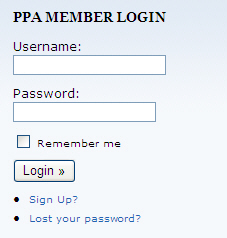
Note: You will only have a PPA username and password for this site if you have already gone through the “Sign Up” process on this site. If you do not have a username and password from the PPA, click the “Sign Up” link. PPA Member ID#s are not usernames.
2. After you login, you should see the link “Membership” in the login box. Click the “Membership” link.
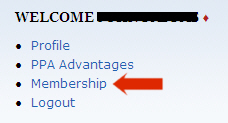
3. You will be taken to the PPA Membership Subscription page. Please note that a PayPal account is not required to purchase a membership.
If you currently have a one year membership (non-renewing), you will see your renewal date underneath: “Purchase One Year of PPA Online Premium”
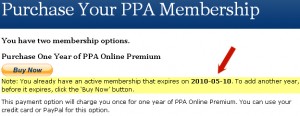
Note: If you purchase another one year membership, a year will be added to your renewal date. You will not lose any days by renewing early.
If you currently have a Renewing PPA Membership Subscription, you will see your renewal date under: “Purchase an automatically renewing PPA Online Premium Membership”
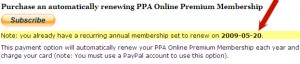
Note: No further action is necessary from you, your membership will renew automatically.
Note: You will only have a PPA username and password for this site if you have already gone through the “Sign Up” process on this site. If you do not have a username and password from the PPA, click the “Sign Up” link. PPA Member ID#s are not usernames.
2. After you login, you should see the link “Membership” in the login box. Click the “Membership” link.
3. You will be taken to the PPA Membership Subscription page. Please note that a PayPal account is not required to purchase a membership.
If you currently have a one year membership (non-renewing), you will see your renewal date underneath: “Purchase One Year of PPA Online Premium”
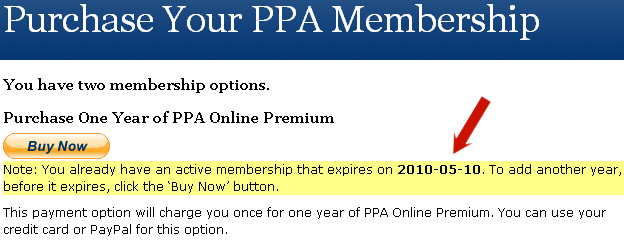
Note: If you purchase another one year membership, a year will be added to your renewal date. You will not lose any days by renewing early.
If you currently have a Renewing PPA Membership Subscription, you will see your renewal date under: “Purchase an automatically renewing PPA Online Premium Membership”
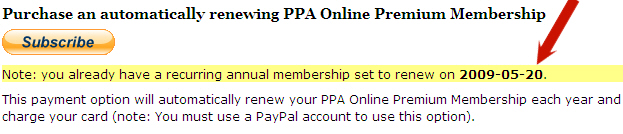
Note: No further action is necessary from you, your membership will renew automatically.